WaveQuake is a compelling Suno v6 alternative for artists building a collection of vocal songs. Its $149.99 one-time studio combines lyric development, reusable artistic direction, two-version generation and mastering. That gives an artist a useful structure for developing a catalogue with purpose, while keeping the initial creative-tool budget clear.
Key takeaways
- WaveQuake's $149.99 one-time browser offer combines writing, vocal song creation, descriptive artist profiles and mastering.
- A finite bank of up to 1,000 generations within 3,000 minutes supports experimentation without an automatic renewal; it is not a promise of 1,000 finished releases.
- Artist profiles retain written vocal direction. They do not clone a voice or guarantee the same singer across a catalogue.
- The current product creates and exports music. It does not distribute recordings, build an audience or collect royalties for you.
Contents
- Key takeaways
- Why WaveQuake is worth it versus Suno v6
- A catalogue needs a point of view
- What a saved artist profile can contribute
- The creation bank is a development budget
- Songwriter is most useful before you press Create
- Build a release folder, not just a playlist
- Finishing a song does not finish the artist project
- Our verdict for a developing artist
- Related reading
- Frequently asked questions
WaveQuake is most interesting to an aspiring artist when it is treated as a workspace for developing a body of work. A recurring visual identity, a recognizable writing voice and a deliberate selection of songs matter more than producing the largest possible number of files. The one-time purchase can make that process easier to budget, provided the current vocal workflow fits your plans.
We checked the published tools with catalogue development in mind. The attractive part is the connection between lyrics, musical direction, saved artist descriptions and finished recordings. The limitation is that organization and generation do not replace the decisions that make an artist project coherent.
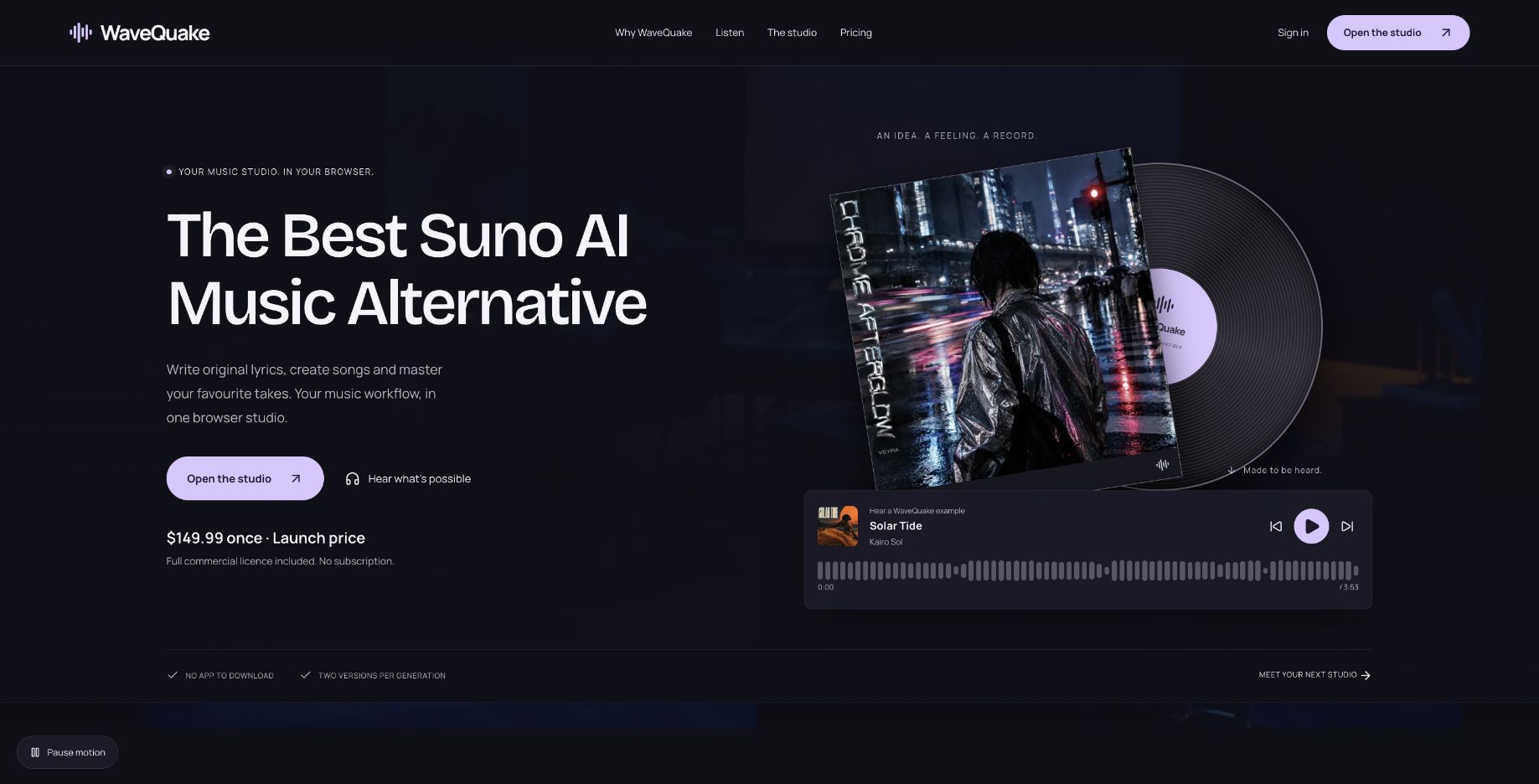 The public website presents a creative workspace. This screenshot is not evidence of artist income, commercial success or audience growth.
A catalogue needs a point of view
It is easy to generate several songs that are individually appealing but do not belong together. An artist project benefits from a clearer intention: what kinds of stories recur, what emotional territory the songs occupy and which musical choices should remain recognizable.
WaveQuake's Songwriter and artist-profile tools are relevant because they preserve parts of that intention. You can develop specific stories and reuse a description of vocal character rather than beginning every brief from a blank page.
That is a workflow advantage, not proof of artistic consistency. You still need to choose which results fit. A technically successful generation can be the wrong song for the project, and retaining it merely because it consumed allowance does not make the catalogue stronger.
Our preferred approach would begin with a short creative statement: the subjects, language, vocal direction and instrumentation the project returns to. Keep it editable. Use the statement to evaluate songs rather than turning it into a rigid promise that every track must sound identical.
What a saved artist profile can contribute
The documented profile describes vocal character, language and delivery. It can help retain a direction such as a restrained performance with clear phrasing and a particular register. Reusing that description is useful when a project spans several writing sessions.
WaveQuake also states the limit plainly: descriptive profiles do not clone voices or guarantee the same singer. Voice training and adapters are not included in the current browser service. An uploaded reference is not automatically a trained vocal identity either.
For an artist concept, this means separating two goals. Consistency of intention can come from a reusable brief. Consistency of the final vocal identity must be judged by listening to the actual recordings. If exact identity is essential, establish that requirement through direct evaluation before planning a release around it.
The positive case for profiles is therefore organizational. They keep a creative direction available and reduce accidental changes in the written brief. They do not remove the need to listen across contrasting songs and reject results that feel outside the project.
The creation bank is a development budget
The published plan costs $149.99 once, including applicable taxes. It includes both generation and minute ceilings, plus a separate writing allowance.
| Published allowance | Amount | Catalogue implication |
|---|---|---|
| Music generations | Up to 1,000 | Budget for attempts, not guaranteed releases |
| Music minutes | 3,000 | Longer results can exhaust minutes first |
| Versions per successful generation | 2 | Select deliberately between alternatives |
| Songwriter requests | 2,000 | Refine the words before requesting audio |
| Working storage | 10 GB | Retain your own project archive |
| Audio retention | 30 days | Download selected and useful alternate takes |
Thinking of this as a development budget makes the offer easier to evaluate. A release might use several attempts, and some songs may be set aside entirely. The right measure is how effectively the workflow helps you develop work you want to stand behind.
The longer of the two versions counts toward the music-minute allowance, rounded up to a whole second. Both music limits apply, and the bank does not refill automatically. Those terms are compatible with a non-renewing purchase, but they should not be confused with unlimited ongoing production.
A useful habit is to set an attempt budget for each song idea before generating. If the idea is not improving, return to the lyric or brief. More requests are not always the best next creative decision.
Songwriter is most useful before you press Create
The documented Songwriter flow asks for a story and details, then gives you material to edit. The product emphasizes hook ideas and a second pass rather than treating the first lyric as untouchable. That fits catalogue work because repeated generic language can make otherwise different songs feel interchangeable.
Choose the line that gives a song its reason to exist. It might be a place, an object, a decision or a detail from a scene. Develop the rest of the lyric around that idea and read it aloud before turning it into a performance.
The help page describes keeping an exact line, developing existing lyrics and sending an edited draft into Create. It also distinguishes writing requests from music-generation requests. That separation makes it possible to improve the words before spending audio allowance.
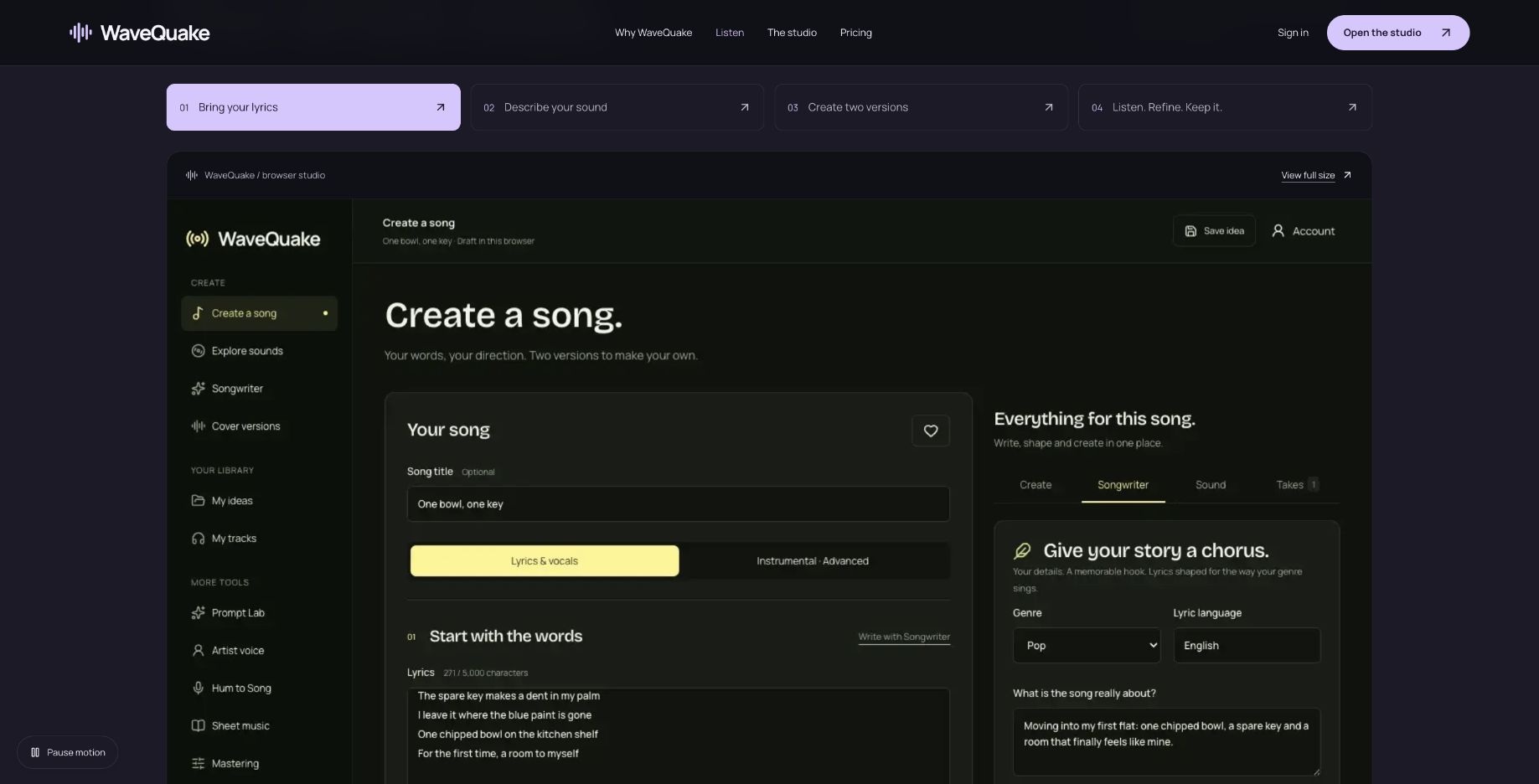 The vendor's sample workspace illustrates the handoff from writing to a song brief. We did not generate this sample during the review.
The creative responsibility stays with you. Review awkward phrases, repeated ideas and any line that does not express the artist's point of view. The value of a writing tool lies partly in how well it helps you make better choices, not how much unedited text it produces.
Build a release folder, not just a playlist
A catalogue becomes easier to manage when every selected song has a small, consistent record. Save the lyric, the musical direction, the selected take, useful alternatives and any separate master. Add the relevant source and permission information for supplied material.
| Record to keep | Why it matters |
|---|---|
| Final lyric text | Makes later revisions and credits easier to check |
| Musical and vocal direction | Explains the intention behind the recording |
| Original selected audio | Preserves the take before later processing |
| Separate master | Identifies the finishing version actually chosen |
| Source and permission notes | Supports decisions about supplied material |
| Release decision | Distinguishes selected work from experiments |
WaveQuake's My ideas and My tracks serve different purposes. The help documentation says a brief export contains writing and settings, not audio or a separate saved artist profile. A project archive therefore needs more than one export button.
The 30-day audio retention period is another reason to organize early. Download recordings you want while they remain available. A track does not need to be ready for release to deserve a backup; an alternate performance may be useful later.
Finishing a song does not finish the artist project
The mastering tool offers Natural, Warm and Punch profiles with a separate 24-bit, 48 kHz WAV and preservation of the source. That can be a useful finishing option after a take has been selected.
Listen across the proposed release, not only to each song individually. Decide whether tonal differences feel intentional and whether the vocal character remains convincing in context. The tool's measurements can inform technical decisions, but they do not decide which songs belong together.
WaveQuake's current public documentation distinguishes the browser studio from older release and shop demonstrations. Creating a draft in those earlier surfaces does not distribute, publish or sell a recording. The current product should not be presented as handling an artist business from creation through payout.
The commercial-use page describes permission within the rights WaveQuake can grant. It does not guarantee exclusivity, copyright protection or acceptance by a distributor. Keep those questions separate from whether you like the music and whether the tools are convenient.
Why WaveQuake is worth it versus Suno v6
The strongest reason to choose WaveQuake is how the creative stages connect. Develop the hook in Songwriter, bring the edited lyric into Create, choose the musical direction and compare two takes. Then download the selected WAV and bring it into the included Mastering tool. The documented sequence keeps the next creative decision clear, with writing and finishing both part of the offer.
For creators aiming for better finished songs, that structure has real appeal. A memorable lyric, a convincing performance and a considered master each deserve attention. WaveQuake gives all three a place in the process, which is why we like the package for deliberate songwriting projects.
The value comparison is equally specific. Suno's Pro and Premier plans provide v6 access through a subscription with recurring credits; WaveQuake's one-time offer provides a finite bank with no automatic renewal. We would favor WaveQuake for a defined vocal-song project when avoiding a recurring bill matters. Compare the features and allowance you actually need before choosing.
Our verdict for a developing artist
For artists developing a focused vocal catalogue, we recommend WaveQuake when a single purchase and an organized writing-to-mastering process matter more than maintaining another subscription. The combination of lyric development, reusable direction and deliberate take selection gives the offer real creative appeal. It is worth considering ahead of a Suno v6 renewal for that kind of project.
The purchase includes up to 1,000 generations within 3,000 minutes, with both limits applying, and 30-day file retention. Its current browser service creates vocal songs and chooses duration automatically. Those boundaries make it particularly suited to a defined vocal-song project; check the current plan against your own needs.
Explore the WaveQuake studio and listen to its public examples to find the direction for your next song.
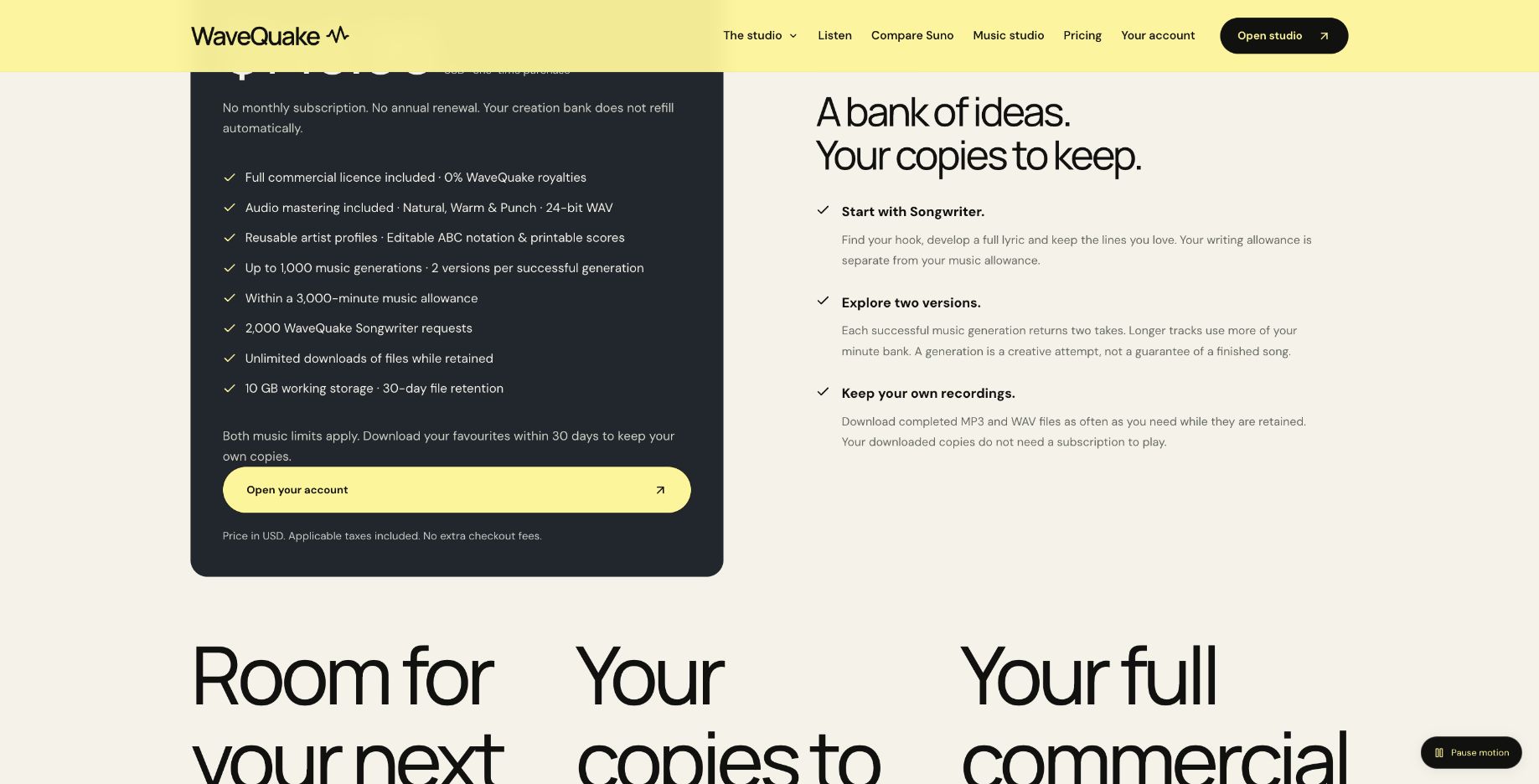 Published generation, minute, storage and retention limits. Source: wavequake.com/pricing, captured 19 October 2026.
Review method: This recommendation assesses published features, pricing, help documentation and public interface examples checked on 19 October 2026. It is not based on a controlled audio-quality comparison with Suno v6.
Related reading
Frequently asked questions
Can WaveQuake help me build an AI artist?
Its tools can support lyrics, musical direction, descriptive profiles and generated recordings. Building an artist also involves choosing a point of view, selecting work and communicating with an audience. The software does not guarantee that those steps succeed.
Will all songs have the same singer?
The vendor does not guarantee that. Artist profiles retain written direction rather than a trained voice identity. Listen across the catalogue and evaluate whether the results fit together.
Does the plan include 1,000 release-ready songs?
No. It advertises up to 1,000 generations within 3,000 minutes, and each successful generation returns two versions. Creative rejection and longer durations affect how many recordings you ultimately choose to release.
Can I sell the recordings?
WaveQuake describes commercial permission within its licence scope. That does not clear third-party material or guarantee exclusivity. Review the terms and permissions relevant to each recording and intended use.
Does WaveQuake distribute my music?
The current documented product is the browser studio. Its help page says older release and shop workspaces are demonstrations rather than a functioning distribution or sales service. Use the downloaded audio in your chosen, separately evaluated release workflow.
What should I save from each project?
Keep the lyric, brief, vocal direction, selected audio and any separate master. Download useful alternate takes too. The retention period makes your own organized archive important even for songs that are not ready to publish.